Best Figma MCP Servers (2026): Free and Official Options
 By @pickwise
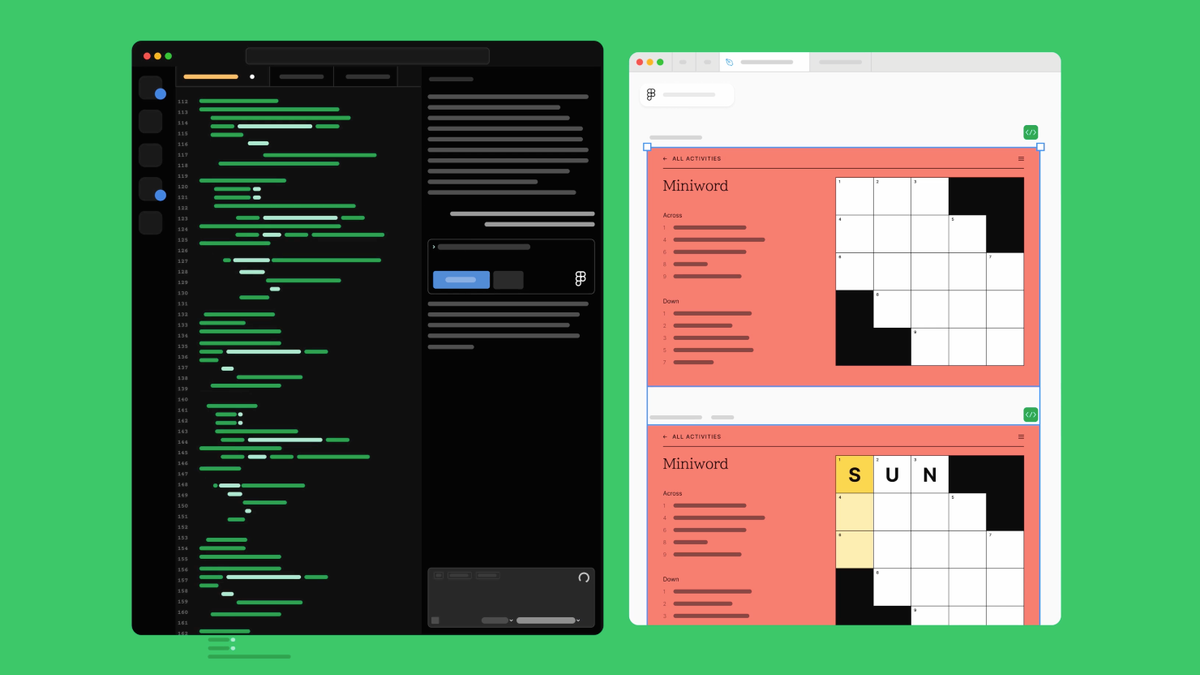
The best Figma MCP servers for turning designs into code with Claude Code, Cursor, Codex or VS Code, and for letting an agent edit the canvas, ranked by independent tests and recommendations.
Figma MCP server (Figma's official server)
Figma's own server, and the one most tests cover. LogRocket's first sign-up page built with it came out almost pixel-perfect; Codeminer42 found layouts faithful but component libraries handled poorly. It only accepts clients on Figma's approved list, which has Claude Code, Codex, Cursor, VS Code and OpenCode but not Windsurf, Cline or Pi. Free accounts and View or Collab seats get 20 calls a month; Dev and Full seats get 200 a day.
- Reads
- Yes: layout, variables, components, screenshots
- Writes
- Yes, remote server only; Full seat outside drafts
- Setup
- Sign in with Figma from an approved client
- Free-tier limit
- 20 calls a month (Starter, View or Collab seat)
- Works with
- Clients on Figma's catalog, e.g. Claude Code, Codex, Cursor
- Cost
- Free to 20 calls; Dev seat $12/mo billed yearly
- License
- Proprietary, hosted by Figma
Framelink (Figma-Context-MCP)
The most-used community server, at about 366,000 npm downloads a month. It hands your agent a trimmed copy of a frame's layout and styles to build from, and it only reads. A user who ran it and Figma's server on the same designs said Framelink did better; another developer gave up after it took several tries to read basic text. It goes through Figma's API, so free accounts get 20 file reads a month.
- Reads
- Yes: layout, styles and images of a frame
- Writes
- No, read only
- Setup
- Figma personal access token
- Free-tier limit
- 20 file reads a month (Figma's API, Starter or View seat)
- Works with
- Any MCP client
- Cost
- Free
- License
- MIT
Figma Console MCP
Works through a bridge plugin in Figma's desktop app, so an agent can pull variables and design tokens, create components and check a file without running into Figma's API limits. Create With moved to it after hitting the official server's limits and now designs whole app flows with it; Elastik uses it daily to extract and check tokens. The catch is that the desktop app and its plugin have to be open every session.
- Reads
- Yes: variables, tokens, components, console logs
- Writes
- Yes, through its desktop bridge plugin
- Setup
- Desktop app and bridge plugin; token for API tools
- Free-tier limit
- Plugin tools don't use Figma's API limits
- Works with
- Any MCP client
- Cost
- Free
- License
- MIT
TalkToFigma
Grab's open-source server that lets Cursor or Claude Code read and edit a Figma file through a plugin and a small local server. Testers had it build and change screens with mixed results: a reviewer on Zenn found the edits worked but the design came out rough, and others say it gets lost in deeply nested layers. Its local connection has no authentication and it can delete in bulk without asking, so run it only on a trusted machine.
- Reads
- Yes: document, selection and node details
- Writes
- Yes, through its Figma plugin
- Setup
- Figma plugin plus a local WebSocket server
- Free-tier limit
- Works through the plugin, not Figma's API limits
- Works with
- Cursor, Claude Code and other MCP clients
- Cost
- Free
- License
- MIT
figwright
The newest of the free plugin servers: it reads and writes the canvas through a Figma plugin, with no paid seat or API token, so free accounts aren't held to 20 calls a month. A Korean developer installed it and checked its security: the npm package matched its published checksum and it sent no telemetry. It is young, with a single maintainer, and its export tools write files wherever the agent says.
- Reads
- Yes: selection, layout, styles
- Writes
- Yes: frames, text, styles, components
- Setup
- npm package plus a Figma plugin; no token
- Free-tier limit
- None: works on a free Figma account
- Works with
- Any MCP client
- Cost
- Free
- License
- MIT
How to choose
Start with Figma's own server if your AI client is on Figma's approved list and you have a Dev or Full seat, which costs $12 a month billed annually for Dev. On the free Starter plan, or a View or Collab seat, Figma allows only 20 calls a month, and Framelink, which goes through Figma's API, runs into a similar limit of 20 file reads. The plugin servers, Figma Console MCP, TalkToFigma and figwright, work through a plugin in Figma's desktop app instead, so those limits don't apply.
Read or write: Framelink only reads. Figma's server writes to the canvas from its remote version, free during the beta and a paid, usage-based feature after that. The plugin servers read and write, so keep your client's tool approvals on: a write changes the live file.
Ordered by how many independent tests and recommendations each server has, in blog posts, videos and Hacker News threads. Stars and downloads only break ties.
Prices checked October 17, 2026.
More guides like this
Claude Code Plugins (2026): What Developers Install
The best Claude Code plugins, picked from the setups developers publish after pruning their own installs and from Hacker News threads where people say what they kept, not from install counts alone. A plugin is a bundle. One install can carry skills, slash commands, subagents, hooks and MCP servers. A skill is a single instruction file Claude loads when it judges it relevant, and an MCP server is a connection to an outside tool, so a plugin can contain both. Type /plugin inside Claude Code to browse Anthropic's official marketplace, which is connected from the start, or run /plugin install name@claude-plugins-official. For anything else, add the maker's marketplace first with /plugin marketplace add owner/repo. If you install one thing, make it Superpowers, plus the LSP plugin for your language. Add Security Guidance if you ship code you don't read line by line, Plannotator if you want to mark up plans in a browser, and Claude HUD to see how full the context is. Every enabled plugin adds to the context on every turn, and several of the writers quoted here deleted more than they kept. Plugins run code on your machine with your permissions, and community marketplaces are not reviewed, so read what a plugin will install before you say yes. Two names trip people up. Claude Code has a built-in review command alongside the Code Review plugin. And Anthropic keeps a second, smaller marketplace in the anthropics/claude-code repo, where the loop plugin still goes by ralph-wiggum and not ralph-loop. The list is ordered by how many independent people recommend each plugin, then by installs and GitHub stars. Prices checked October 11, 2026.
Best Claude Skills (2026)
The best Claude skills are the SKILL.md packages that Hacker News users and independent reviewers keep recommending. This list ranks collections and single skills you can install today, with what each adds and its catch. If you want Claude to plan and test before it codes, get Superpowers. If you want it to question you before it starts, get grill-me from Matt Pocock's skills. For better-looking pages, start with frontend-design and add Impeccable to review the result. To build your own skills, or to make real Word, Excel, PowerPoint and PDF files, use Anthropic's repository. For marketing work, use Corey Haines's pack. Skills install in three ways. In Claude Code, run /plugin install from a marketplace, or copy a folder into ~/.claude/skills. For most coding agents, npx skills add owner/repo does the copying. In the Claude apps, upload a ZIP under Customize > Skills. Skills follow the open Agent Skills format, so most of these also run in Codex, Cursor and Gemini CLI. Older guides are now wrong in places. Claude Code has merged custom commands into skills. Superpowers and Matt Pocock's skills are in Anthropic's official marketplace, so adding a separate marketplace is no longer needed. The Karpathy repository moved to a new owner. Star counts are huge and say little, and a link list such as awesome-claude-skills installs nothing. A skill is instructions plus scripts that run with your agent's permissions. Snyk scanned 3,984 skills from ClawHub and skills.sh and found a critical security issue in 13.4% of them. Read a skill before you install it, and install a few, not all. Items are ordered by how many independent people recommend each one, then by GitHub stars. Everything here is free. Numbers checked October 11, 2026.
OpenCode Plugins (2026): Which Still Work on OpenCode 2
The best OpenCode plugins, and which ones work on OpenCode 2, ranked by how many developers outside each project say they use them, in blog posts, hands-on reviews and Hacker News threads. If your sessions run out of context, start with Dynamic Context Pruning. If you want the agent to plan before it codes, get Superpowers, or Plannotator to review plans in a browser. For a team of subagents, oh-my-opencode-slim is the one that runs on the current version. For memory that stays on your machine, opencode-mem. The thing no plugin page says loudly: OpenCode 2.0 came out in September 2026 with a new plugin system, and plugins written for OpenCode 1 do not load on it. Older guides tell you to add a package name to the "plugin" list in opencode.json, which OpenCode 1 then installs at startup. On OpenCode 2 the list is called "plugins" and there is a command for it, opencode plugin add <package>. Check the Works with line on each pick before you upgrade. OpenCode 1 still gets releases. Two names to keep straight. The OpenCode here is the one at opencode.ai, now in the anomalyco/opencode repository on GitHub. An earlier Go project with the same name, opencode-ai/opencode, is archived and continues as Crush. And oh-my-opencode was renamed oh-my-openagent. Plugins that sign you in with a Claude or Gemini subscription are left out. Google and Anthropic treat that as against their terms, the popular Antigravity one is archived, and accounts have been flagged. A plugin runs with your full permissions, so read what you install. Ordered by how many independent recommendations each plugin has, then by downloads and stars. A plugin that does not load on the current OpenCode ranks below the ones that do. Numbers checked October 17, 2026.
Best Pi Coding Agent Extensions (2026)
The best extensions for the Pi coding agent (some people call them plugins), picked from the setups developers publish and the write-ups that tested them, not from download counts alone. Pi is deliberately bare: no sub-agents, no plan mode, no permission prompts. You add what you miss with one command, pi install npm:<package>. If you are starting out, three cover most of the gap with Claude Code: pi-subagents for delegation, pi-web-access for search, and rpiv-ask-user-question so the model asks before it guesses. Add Plannotator if you want plan mode, and pi-permission-system if you don't want the agent free to run anything. Two things have changed that older guides miss. Pi has had MCP support built in since version 0.99, so pi-mcp-adapter is now an upgrade and no longer a requirement. And several popular names have lookalikes: npm has at least four other packages named pi-mcp-adapter under other people's scopes, and more than one /btw extension, so install by the exact name shown here. Extensions run with the same access to your machine that Pi has. Pi's catalog lists more than 5,000 packages, so read the source of anything that touches your shell or credentials, and pin versions you depend on. Ordered by how many independent users and reviewers recommend each one (Kay Rhodes's setup guide, Composio's tested top ten, developers on Hacker News and Pi's own GitHub discussions), then by npm downloads and GitHub stars. Downloads count automated installs too, so treat them as a rough signal. Numbers checked October 10, 2026.