Best Grok Bot Use Cases and Workflows (2026)
 By @pickwise
These Grok Bot use cases and workflows are the jobs paying users report running, drawn from walkthroughs by Claire Vo, Matthew Berman, Peter Yang and Alex Finn. The ones that hold up end in a draft you approve.
Chief of Staff Bot
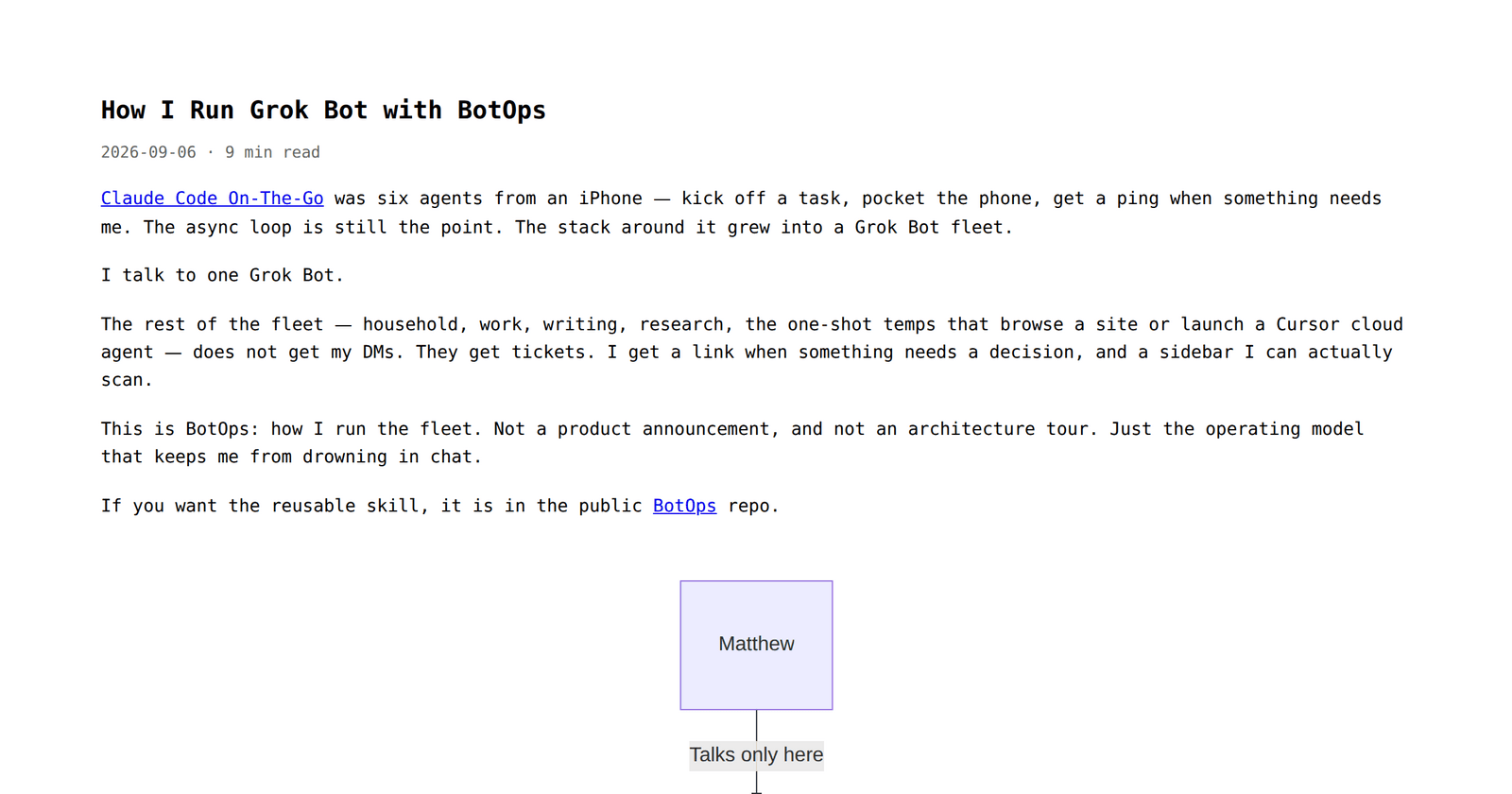
Nearly every published Grok Bot setup routes work through one pinned coordinator that hands jobs to specialists, from Claire Vo's Chief, which sweeps six inboxes hourly, to Granda's BotOps fleet, where only the chief of staff ever messages him. Chris Alarcon names it one of two bots he would keep. The catch is cost: chatter between bots draws on the same weekly usage pool, and long threads cost more every turn.
Inbox Triage With Drafts
Email is where the clearest payoff shows up. Alex Finn's 8 a.m. triage bot researches each sender and drafts replies to the three most promising emails in Gmail, and one of those drafts closed a $10,000 sponsorship. Matthew Berman's 7:30 routine batches mail that can be archived behind one button. Claire Vo still writes high-stakes email herself, because the default Grok voice reads clipped until it learns from your sent mail.
- Plan needed
- Premium ($30/mo) or higher on The X Subscription
- Runs on schedule
- Daily at 7:30am (Berman) or 8am (Finn); weekdays 9:05 and 4:05 (Inbox Manager)
- Apps it uses
- Gmail, Slack, DMs; Berman adds HubSpot and Google Drive for context
- Needs approval for
- Every send; Inbox Manager is read-only and leaves drafts
Coding Outer Loop for Cursor Cloud Agents
Here Grok Bot plans and checks while Cursor cloud agents write the code. Claire Vo's LGTM bot rebases, answers review comments and helped clear about 50 waiting PRs in one Friday. James Pember tried it because it plugs into the Cloud Agents his team already used. The catch is usage: Cursor staff advised handing heavy work to cloud agents to spare the bot's allowance, but on The X Subscription both draw from one shared weekly pool.
Daily News and Intel Scout
A scheduled scout that watches X, YouTube or company channels and sends a short brief is the second-largest group in AI Builder Club's ledger of builder posts. Peter Yang's YouTube researcher sends a morning brief of outlier videos and comment themes, and Alex Finn's Barry checks AI accounts every 30 minutes for breaking news. Expect a round of format fixes: Yang's first brief was hard to follow, and Chris Alarcon reads his News Scout with suspicion.
- Plan needed
- Premium ($30/mo) or higher on The X Subscription
- Runs on schedule
- Every 30 minutes (Finn); weekdays 8am and 5pm (Intel Scout template)
- Apps it uses
- X, YouTube, Slack, email, meeting notes
- Needs approval for
- Any send; the Intel Scout prompt says never send without your confirm
Content Repurposing Routine
Turning one finished piece into others is the creators' favourite. Alex Finn's content bot read every newsletter he had sent, learned his voice, and now turns one video a week into a newsletter draft he edits before sending. Aaron Makelky's bots add podcast music, write show notes and push episodes to Transistor about 95% finished. Chris Alarcon's Substack Notes publisher posts without him, though his Shorts tracker is still buggy. Makelky worked at Descript until August 2026.
- Plan needed
- Premium ($30/mo) or higher on The X Subscription
- Runs on schedule
- Weekly (Finn's video-to-newsletter routine)
- Apps it uses
- YouTube, newsletter app, Descript, Transistor, Substack
- Needs approval for
- Publishing; Finn and Makelky review every draft before it ships
Shopping, Returns and Errands
Browser errands are where the cloud computer earns its keep. Matthew Berman has his bot run Amazon returns end to end and hand back the QR code, and Claire Vo's shopping bot found bookcases at the exact 30-by-15-inch size she needed, some she hadn't found herself. The catch is new: Amazon reportedly blocks Grok Bot from placing orders, so buying there can stall.
- Plan needed
- Premium ($30/mo) or higher on The X Subscription
- Runs on schedule
- On request in Berman's and Vo's examples
- Apps it uses
- Amazon, DoorDash and other retail sites through the cloud browser
- Needs approval for
- Logins and payment confirmations; you take over the computer
Listing and Fare Watch
A routine that checks listings or prices and stays quiet until something is worth a look is one of the cleanest fits. Peter Yang's travel bot read his Japan itinerary and found a Tokyo round trip about $2,700 cheaper than his planned open-jaw route, something a plain fare alert would never suggest. Granda's home-hunt swarm checks Zillow and Redfin twice a day. Expect most runs to find nothing.
- Plan needed
- Premium ($30/mo) or higher on The X Subscription
- Runs on schedule
- Twice daily, 9:00 and 18:00 PT (Granda's home hunt)
- Apps it uses
- Zillow, Redfin, Google Flights, Notion
- Needs approval for
- Booking or buying; Yang hasn't let it book flights yet
Podcast and Video Summaries
A bot works through long episodes and videos for you and returns notes in the format you want. Investor Gavin Baker says his podcast summarizer took about 15 seconds to build and beat what he had before. Chris Alarcon says his Distribution Scout, which watches long videos for him, earned its keep fastest of all his bots. Neither shared a prompt, so the closest copyable setup is a SpaceXAI staff guide.
- Plan needed
- Premium ($30/mo) or higher on The X Subscription
- Runs on schedule
- Weekly roundup in SpaceXAI's media-rundown prompt (GTM guide)
- Apps it uses
- Podcasts, YouTube, webinars, X, web search
Sponsor and Brand-Deal Inbox Scoring
Creators who live on brand deals use a bot to score inbound pitches before they read them. Matthew Berman's routine labels mail every 30 minutes on weekdays, scores each sponsorship email and archives the spammy ones, and Alex Finn's bot checks whether each sender's company is real before drafting replies to the best three. The catch is the rubric: Berman built his scoring rules in another agent first and says you may need to work yours out.
Blog-to-Social Cross-Posting
A publishing bot takes one finished post and puts it everywhere else. Debbie O'Brien's blog bot publishes each post to her site, then Dev.to, LinkedIn and X, and her LinkedIn bot posted live in her voice on its first day. Nevo Mashiach's video-to-article bot drew 201k article views from a video with 83k, per AI Builder Club. X is the snag: O'Brien's X bot stalled asking for a developer bearer token.
- Plan needed
- Premium ($30/mo) or higher on The X Subscription
- Apps it uses
- Her blog, Dev.to, LinkedIn, X, YouTube (O'Brien)
- Needs approval for
- Each post: O'Brien reviews the draft, then says post it
Monthly Trend Research Sweep
Before writing, a research bot checks what people actually said about a topic this month across X, YouTube, Reddit, Hacker News and the web. Alex Finn runs Matt Van Horn's open-source last30days skill as a standing research bot, and Hiten Shah turned it into a bot his other bots call for research, one he says he'd keep. Setup is the catch: it installs code from GitHub and walks you through a ScrapeCreators sign-up for TikTok and Instagram.
- Plan needed
- Premium ($30/mo) or higher on The X Subscription
- Runs on schedule
- On request; checks GitHub for a skill update every 30 days
- Apps it uses
- Reddit, X, YouTube, TikTok, Hacker News, Polymarket, GitHub, the web
- Needs approval for
- Cookies and API keys during first-run setup
Meeting Summaries and Call Prep
Matthew Berman ranks this with email triage as his two most powerful jobs: every 30 minutes his bot checks Fathom for new recordings, then writes the summary and who owes what. James Pember's bot now builds his fortnightly product-marketing pre-read from release notes, GitHub and Slack and sends it to the team. Acting on those action items unprompted is still untested; Berman describes it as his next experiment.
- Plan needed
- Premium ($30/mo) or higher on The X Subscription
- Runs on schedule
- Every 30 minutes (Berman); 15 to 35 minutes before each call (post-sales guide)
- Apps it uses
- Fathom, calendar, Slack, GitHub, release notes
- Needs approval for
- Sending recaps; drafts wait in Gmail (post-sales guide)
Support Queue Triage
Claire Vo calls her support bot's results astonishing: it sweeps Intercom and email every hour, drafts replies and can request refunds, which reach her as a one-click Stripe approval. James Pember's bot triages product bugs raised in Slack and found his team an instant workaround. Speed is the limit. Squad notes routines have no email trigger, so a new ticket waits for the next scheduled sweep.
- Plan needed
- Premium ($30/mo) or higher on The X Subscription
- Runs on schedule
- Hourly inbox sweeps plus a weekly playbook review (Claire Vo)
- Apps it uses
- Intercom, email, Stripe, Slack
- Needs approval for
- Refunds and replies to customers
Subscription and Refund Cleanup
Money-back jobs can pay for the plan outright. Peter Yang's Marie Kondo bot audited Gmail, Drive and receipts, then unsubscribed, trashed files and cancelled a subscription in about five minutes once he approved its numbered list. Darian Shirazi's bot found five merchants that never refunded his returns and emailed them, earning back more than the monthly fee, per Sid Saladi. Cancelling still needs you to sign in on the cloud computer.
- Plan needed
- Premium ($30/mo) or higher on The X Subscription
- Runs on schedule
- One-off audit; Yang plans weekly or monthly runs
- Apps it uses
- Gmail, Google Drive, Mercury bank MCP, merchant sites
- Needs approval for
- Every unsubscribe, delete or cancel (Yang's prompt)
Teach-a-Task Portal Runs
When a site has no API, you record yourself doing the job once and the bot saves it as a skill. Sid Saladi found this the most repeated tactic: Ryan Perry taught it a Meta Ads upload he couldn't do through the API, and roofer Price Foulger had it pull a city permit and book an inspection. Recordings stop at ten minutes, and a changed page layout can break the replay without an error.
- Plan needed
- Premium ($30/mo) or higher on The X Subscription
- Runs on schedule
- As a routine after a test run; schedules at least 5 minutes apart
- Apps it uses
- Any site in the cloud browser, e.g. Meta Ads Manager, city permit portals
- Needs approval for
- Passwords, 2FA, CAPTCHAs and payments; you take over the computer
Family and School Logistics Digest
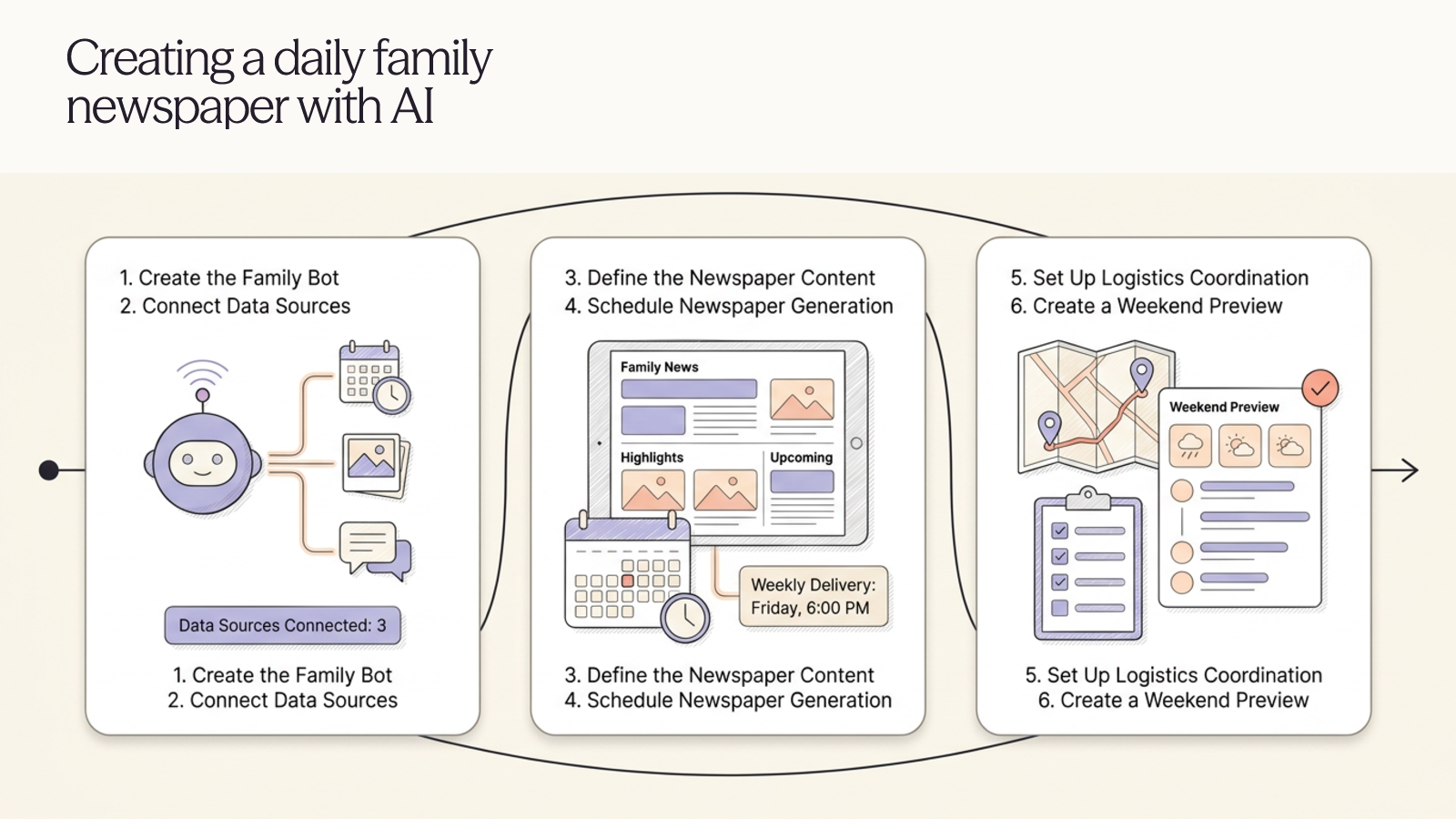
Parents describe this as the bot that gets them off the computer. Claire Vo's TradBot prints a one-page kitchen-table newspaper each morning from school email and the family calendar, then messages both parents at 2:30 to settle pickup. Matthew Berman's school bot reads school email at 7 p.m. and adds events to the calendar with his wife invited. Vo shares TradBot as a template, but you reconnect your own email and calendar.




How to choose
Grok Bot is SpaceXAI's always-on agent. Each bot works on a cloud computer that keeps going after your laptop closes. Show it a workflow once and it saves the steps as a skill, then a routine reruns that skill on a schedule. A template is a shareable link to a bot with its skills and routines.
If you will run more than two bots, start with a chief of staff, the one bot nearly every heavy user keeps. For a single first job, inbox triage that leaves drafts in Gmail has the most reported wins. Developers get most from the outer loop that hands code to Cursor cloud agents. At home, a school-email digest or a fare watch is the easy start.
What can Grok Bot do on its own? Read, research and draft around the clock. Sending, buying and deleting wait for your yes by design. Free and Plus plans don't include it.
What SpaceXAI's pages don't stress: all your bots share one cloud computer and its logins, so a second bot is not a security boundary. The weekly usage pool runs out fast, and a Cursor forum user on the $200 Ultra plan used 99% of a week in three days. Amazon reportedly blocks Grok Bot from placing orders. Guides quoting $200 or $300 a month describe launch-week access, since replaced by The X Subscription, where Premium at $30 a month is the cheapest plan with Grok Bot.
Ordered by how many independent users we found reporting each job running, then by whether they reported a measurable result. SpaceXAI staff guides count only to show a template exists.
Prices checked October 16, 2026.
More guides like this
Best Apple Vision Pro Apps (2026)
The best Apple Vision Pro apps are the visionOS games, players and tools that reviewers keep recommending. These picks rest on hands-on coverage from Tom's Guide, PCMag, Road to VR, UploadVR, MacStories, AppleInsider and independent writers. To show someone what the headset can do, start with Encounter Dinosaurs and Explore POV. For games, get Synth Riders, or Retrocade if you own a Bluetooth gamepad. For work, Fantastical and Things 3 for Vision are the usual picks. For watching, Disney+ has 3D films in themed theaters, YouTube finally has its own app, and Portal streams a PS5 or Xbox to a giant screen. Several games here are Apple Arcade titles: free to download, but they need the $6.99-a-month Arcade subscription. Things 3 for Vision is a separate $29.99 app and now needs visionOS 27. Juno, the YouTube app many older guides recommend, was pulled from the App Store in 2024, and Google's own app arrived in February 2026. Netflix still has no Vision Pro app, so it plays in Safari. visionOS 26 added widgets you pin to walls and support for Sony's PS VR2 Sense controllers, though few games use the controllers yet. visionOS 27, out since September 14, 2026, adds Siri AI and lets you turn panoramas into Environments. The list is ordered by how many independent reviewers recommend each app, then by price. Prices checked October 14, 2026.
Claude Code Plugins (2026): What Developers Install
The best Claude Code plugins, picked from the setups developers publish after pruning their own installs and from Hacker News threads where people say what they kept, not from install counts alone. A plugin is a bundle. One install can carry skills, slash commands, subagents, hooks and MCP servers. A skill is a single instruction file Claude loads when it judges it relevant, and an MCP server is a connection to an outside tool, so a plugin can contain both. Type /plugin inside Claude Code to browse Anthropic's official marketplace, which is connected from the start, or run /plugin install name@claude-plugins-official. For anything else, add the maker's marketplace first with /plugin marketplace add owner/repo. If you install one thing, make it Superpowers, plus the LSP plugin for your language. Add Security Guidance if you ship code you don't read line by line, Plannotator if you want to mark up plans in a browser, and Claude HUD to see how full the context is. Every enabled plugin adds to the context on every turn, and several of the writers quoted here deleted more than they kept. Plugins run code on your machine with your permissions, and community marketplaces are not reviewed, so read what a plugin will install before you say yes. Two names trip people up. Claude Code has a built-in review command alongside the Code Review plugin. And Anthropic keeps a second, smaller marketplace in the anthropics/claude-code repo, where the loop plugin still goes by ralph-wiggum and not ralph-loop. The list is ordered by how many independent people recommend each plugin, then by installs and GitHub stars. Prices checked October 11, 2026.
Best Wispr Flow Alternatives (2026)
The best Wispr Flow alternatives: dictation apps that type into any app, for people leaving over price, cloud processing or platforms, picked from tests by 9to5Mac, ZDNet, Zapier and others. Leaving over price? Handy and FluidVoice are free, Chirp is $9.99 a year, VoiceInk is $25 once for a Mac, and Aqua Voice Pro is $8 a month billed yearly against Wispr Flow's $12. For privacy, Superwhisper, Handy, FluidVoice, VoiceInk, Spokenly and Chirp can transcribe without your audio leaving the computer, while Aqua and Typeless are cloud services like Wispr. On Linux, try Handy, Spokenly or Typeless. On Android, Typeless or Superwhisper. Accuracy depends on the model as much as the app: in Voice-list's test, Superwhisper's own models ranged from 1.6% to 22.8% of words wrong, so try another model before giving up on an app. Free tiers differ too. Aqua's is 1,000 words in total, Willow's free plan uses a lighter model, and Superwhisper's never runs out. Ordered by wins in named tests and how many independent reviewers recommend each app, then by how well it fixes the usual reasons for leaving Wispr Flow (price, privacy, platforms), then by price. Disclosure: Chirp is made by the team behind Listicle. We placed it ourselves, as the budget pick, and no independent reviewer has tested it yet. Everything else follows the order above. Prices checked October 5, 2026.
Best Clipboard Managers for Windows (2026)
The best clipboard managers for Windows 10 and 11, for anyone who has outgrown Win+V, ranked on hands-on tests by MakeUseOf, XDA, How-To Geek and others. Ordered by test wins and how many independent reviewers recommend each app, then by price, with Windows' own clipboard history included as the baseline. Pasta has no independent reviews yet, so it ranks below the apps that do. Win+V keeps 25 items and forgets them on restart unless you pin them. Ditto fixes both for free and won head-to-head tests at MakeUseOf and XDA. For more, CopyQ adds tabs and scripting, ClipClip adds an editor and OCR, and Pasteboard is the simplest modern-looking choice. Already using Raycast as a launcher? Its clipboard history is free and searchable. Most picks are free at home but not at work: ClipClip charges $49 for commercial use, ClipboardFusion's free version is for personal use only (Pro starts at $19 per PC), and Clipdiary's business license is $29.99. If you also use a Mac, Raycast and CopyQ run on both. Disclosure: Pasta is made by Automatique, the team behind Listicle; it's rated by the same criteria as everything else. Prices checked October 5, 2026.
Best Clipboard Managers for Mac (2026)
The best clipboard managers for Mac, from free apps to the history built into macOS Tahoe, ranked on hands-on tests by Zapier, MacStories, Six Colors and others. Ordered by test wins and how many independent reviewers recommend each app, then by price, with Spotlight's built-in history included as the free baseline. Pasta has no independent reviews yet, so it ranks below the apps that do. To choose, try Tahoe's Spotlight history first (Command-Space, then Command-4). If a week of history isn't enough, Maccy is the free step up, Paste is the one to get if your clipboard should follow you to an iPhone, and Pastebot suits people who reshape text as they paste. Already use Raycast, Alfred, LaunchBar or Keyboard Maestro? Try the history it already has before buying anything. Subscription or one payment? Paste costs $29.99 a year, while PastePal ($14.99), ClipBook ($9.99) and CopyClip 2 ($7.99) are one-time buys, and of those three only PastePal syncs with an iPhone. Pastebot sits in between: $39 up front, then $19 for each further year of updates. Disclosure: Pasta is made by Automatique, the team behind Listicle; it's rated by the same criteria as everything else. Prices checked October 5, 2026.
Best AI Task Managers (2026)
The best AI task managers, where the AI does real work from planning your day to running agents on a board, picked from hands-on tests by Wirecutter, PCMag, Zapier and others. Match it to how you work. If you want AI to plan your day, Sunsama walks you through a daily plan, Reclaim fits tasks around your meetings and has a free plan, and Motion plans and reshuffles your whole calendar. If you want a fast list with a little AI, start with Todoist. Teams should try Asana first, ClickUp if they want everything in one app, or Notion if their work already lives in docs. Software teams belong in Linear. On a budget: Todoist Pro and Reclaim Starter together come to about $15 a month billed yearly and put your Todoist tasks on your calendar, less than Motion's $19 alone. Google Gemini schedules tasks into Google Calendar for free. Watch the AI add-ons: ClickUp's Brain AI costs $9 a user on top of the plan, Notion's agents need the $20 Business plan, and Motion, Asana and monday.com meter AI with credits or request limits. Ordered by wins in named hands-on tests, then by how many independent reviewers recommend each app, then by fit for individuals and small teams and by price. Disclosure: Wand is made by Automatique, the team behind Listicle; it's rated by the same criteria as everything else. Prices checked October 5, 2026.