Best Clipboard Managers for Windows (2026)
 By @pickwise
The best clipboard managers for Windows 10 and 11, for anyone who has outgrown Win+V, ranked on hands-on tests by MakeUseOf, XDA, How-To Geek and others.
Ditto
Ditto won MakeUseOf's test of six Windows clipboard managers and XDA's test of four. It's free and open source, keeps text, images, HTML and files through restarts, searches as you type and can sync PCs on your home network, with no account or telemetry. MakeUseOf and How-To Geek both call the interface dated, and Ctrl+` is an odd default shortcut.
- Platforms
- Windows 10 or later (Microsoft Store)
- Price
- Free
- Open source
- Yes, GPL-3.0
- Keeps images
- Yes
CopyQ
XDA calls CopyQ the enthusiast's pick: tabs and tags to sort clips, an editor, scripts and commands that run when you copy something, and encryption for stored clips. It's free, open source and runs on Windows, Mac and Linux, with version 17 out in October 2026. In XDA's four-app test it lost to Ditto because it takes real setup.
- Platforms
- Windows, Linux and macOS 10.15 or later
- Price
- Free
- Open source
- Yes, GPL-3.0
- Keeps images
- Yes
ClipClip
ClipClip goes well past history, with folders, a text and image editor, OCR, translation and a screen recorder, and MakeUseOf noted it encrypts clips on your PC. XDA and Zapier both recommend it. It keeps 1,000 clips at most, and using it for work needs a $49 license.
- Platforms
- Windows
- Price
- Free for personal use, $49 for business
- Free version
- Yes, for personal use
- Sync
- Via Google Drive, OneDrive or Dropbox
- Keeps images
- Yes
Clipboard Master
Zapier tested almost 40 tools and called Clipboard Master the most powerful clipboard manager for Windows. It's free and holds up to 10,000 entries of text, images and files, plus text templates, date and time macros, a password safe and a screenshot tool. Zapier's complaint is that it's ugly, and it uses Win+V, the shortcut Windows' own history uses.
- Platforms
- Windows XP through Windows 11
- Price
- Free
- Keeps images
- Yes
Raycast for Windows
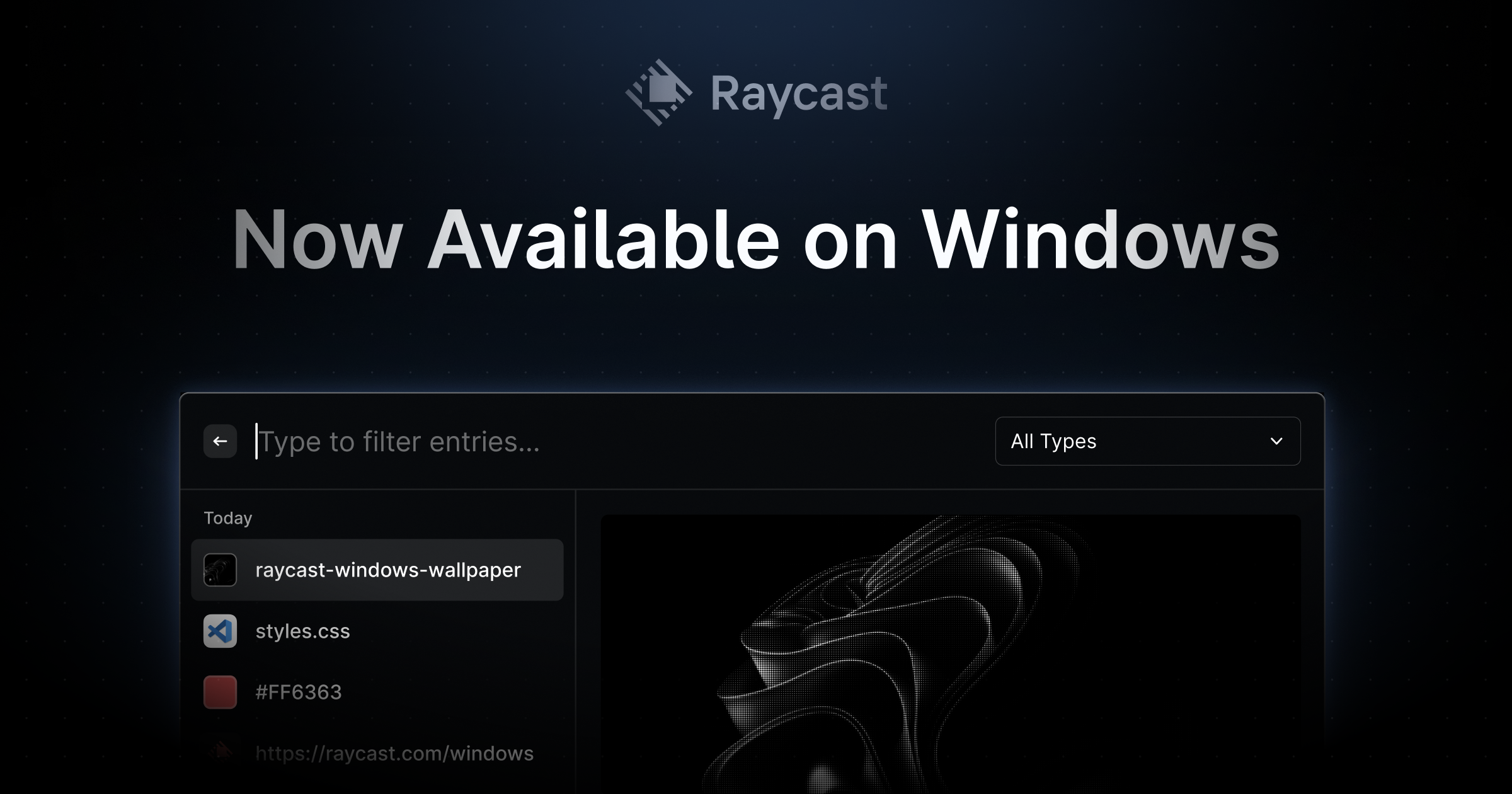
On Windows since late 2025, Raycast is a keyboard launcher whose free clipboard history fixes Win+V's gaps: it survives restarts, it's searchable and links show previews. PCWorld's columnist now uses it in place of the built-in history, mapped to Win+V. The free plan keeps three months of clips, and a whole launcher is a lot to install for clipboard history alone.
- Platforms
- Windows 10 or later, also macOS
- Price
- Free; Pro $8/month billed yearly
- Free version
- Yes, keeps 3 months of history
ClipboardFusion
ClipboardFusion is about changing what you paste, not just recalling it: triggers can strip formatting automatically, C# macros handle the rest, and MakeUseOf counted up to 30 hotkeys for saved clips. Macros mean writing code, the free version is for personal use only, and syncing to other PCs and phones needs Pro, from $19 per PC.
- Platforms
- Windows 10 (1607 or later) and 11
- Price
- Free; Pro $19 per PC or $29 for home PCs
- Free version
- Yes, for personal use only
- Sync
- Pro only: PCs, Mac, iPhone and Android
- Keeps images
- Yes
Pasteboard
After testing five clipboard managers, MakeUseOf's reviewer kept Pasteboard for its modern look and simplicity, and Lifehacker picked it for its clean interface too. It's free, keeps unlimited history on your PC, opens with Ctrl+Shift+V and lets you rename and save clips. There's no automation, and the promised cloud sync and phone apps haven't launched.
- Platforms
- Windows 10 and 11
- Price
- Free
- Free version
- Yes, always a free plan
- Sync
- Not yet, cloud sync is coming
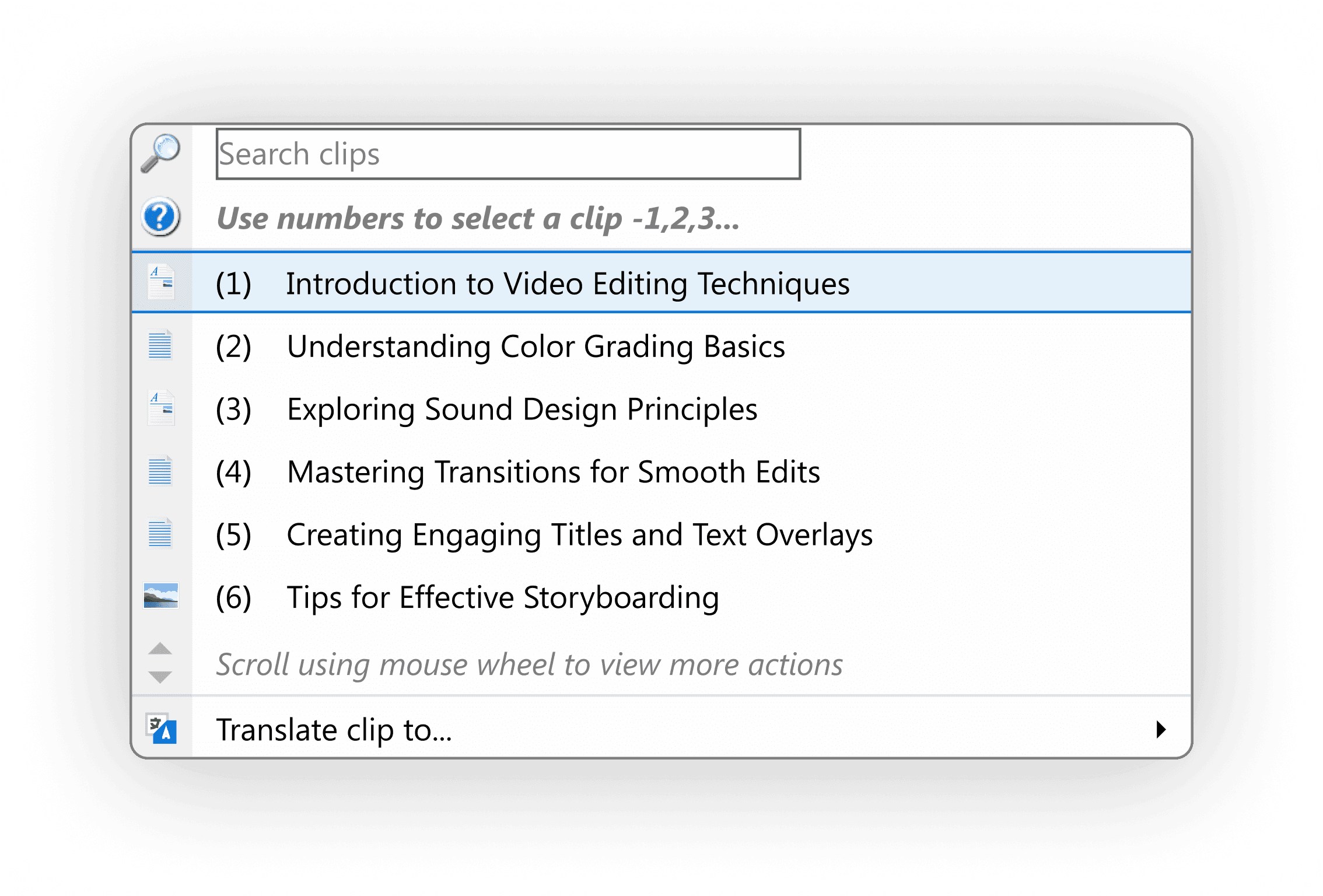
ArsClip
Old-school but still maintained, ArsClip shipped version 5.46 in June 2026 and runs without installing. XDA likes that its popup opens by hotkey or by holding the right mouse button, and that you can keep permanent clips and write macros, even in JavaScript. XDA also calls it the oldest-looking option, and its reviewer admits to not grasping everything it can do.
- Platforms
- Windows XP through Windows 10, per its maker
- Price
- Free
- Sync
- Optional Global Clipboard, Windows and Android
- Open source
- Delphi source code included
- Keeps images
- Yes
Clipdiary
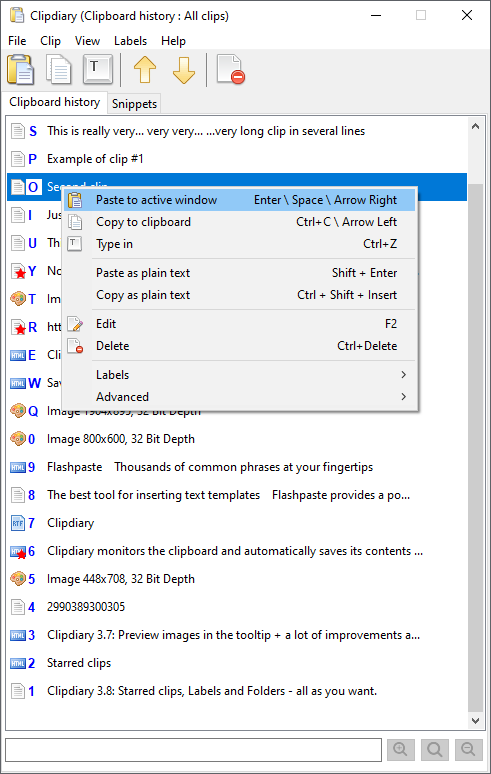
For a long-term record of what you copy, Clipdiary saves history for years, sorts it with stars and labels and can lock it with AES-256 encryption. XDA found it more responsive than Windows' own history. It's free for personal, non-commercial use, but the last full release dates from 2021, with a beta out in October 2026.
- Platforms
- Windows
- Price
- Free for personal use; $19.99 or $29.99
- Free version
- Yes, for personal, non-commercial use
- Keeps images
- Yes
PowerToys Advanced Paste
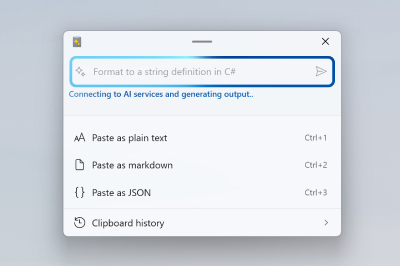
Free from Microsoft, Advanced Paste turns what you copied into plain text, Markdown, JSON or a file with Win+Shift+V, and reads text from images with local OCR. AI rewrites are optional and need an API key or a local model. It relies on Windows' own history, so MakeUseOf notes you still get only 25 items, cleared on restart.
- Platforms
- Windows 10 (2004 or later) or 11, 64-bit
- Price
- Free
- Open source
- Yes
ClipAngel
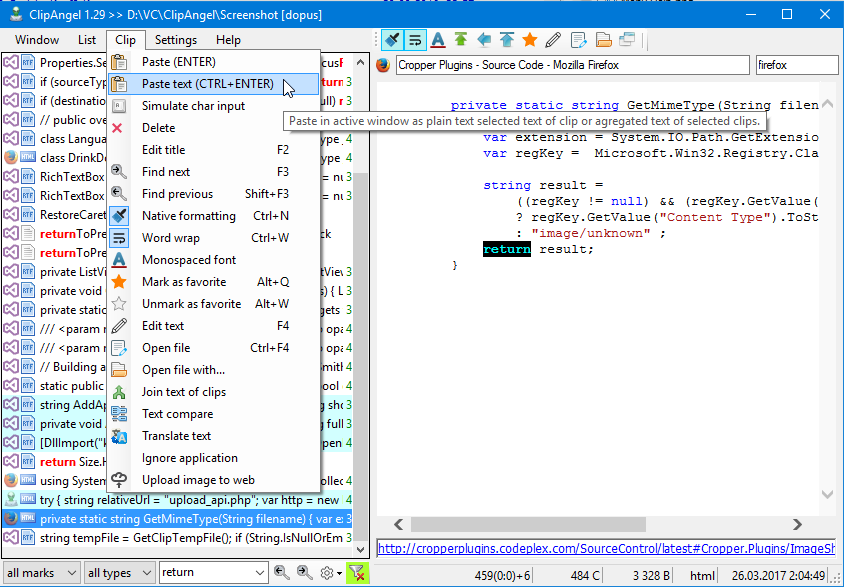
Open source and portable, ClipAngel captures text, HTML, rich text, images and files, and lets you edit a clip, compare two or join several into one. Version 2.23 came out in June 2026. gHacks found it plain-looking but full of advanced options, and the independent reviews are several years old.
- Platforms
- Windows Vista or later, with .NET 4.52
- Price
- Free
- Open source
- Yes, GPL-3.0
- Keeps images
- Yes
Stardock Snipboard
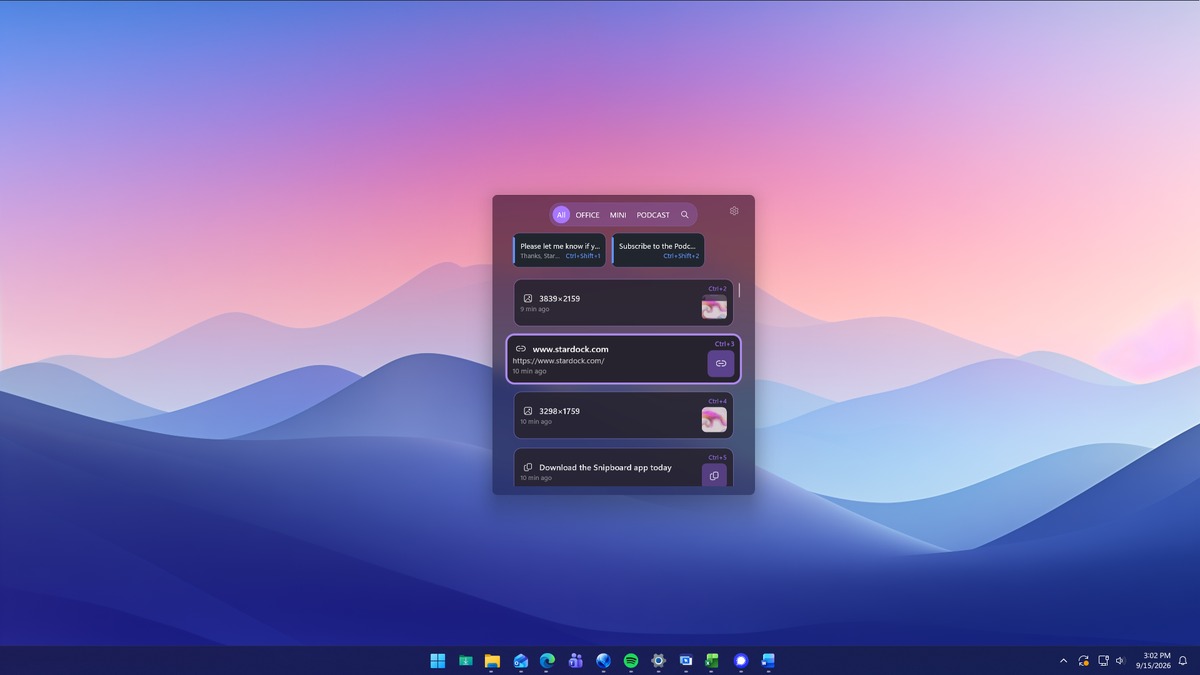
Stardock's Snipboard swaps Win+V for a dock of visual cards on any screen edge, keeps history until you clear it and syncs clips, even files, between PCs on your home network. XDA's reviewer said it fixed every problem with the built-in clipboard. It's still a beta, Windows Central missed drag and drop, and for now it comes only with an Object Desktop subscription.
- Platforms
- Designed for Windows 11
- Price
- Included with Object Desktop (yearly)
- Free version
- No, free trial
- Sync
- Between PCs on your local network
- Keeps images
- Yes
Clibor
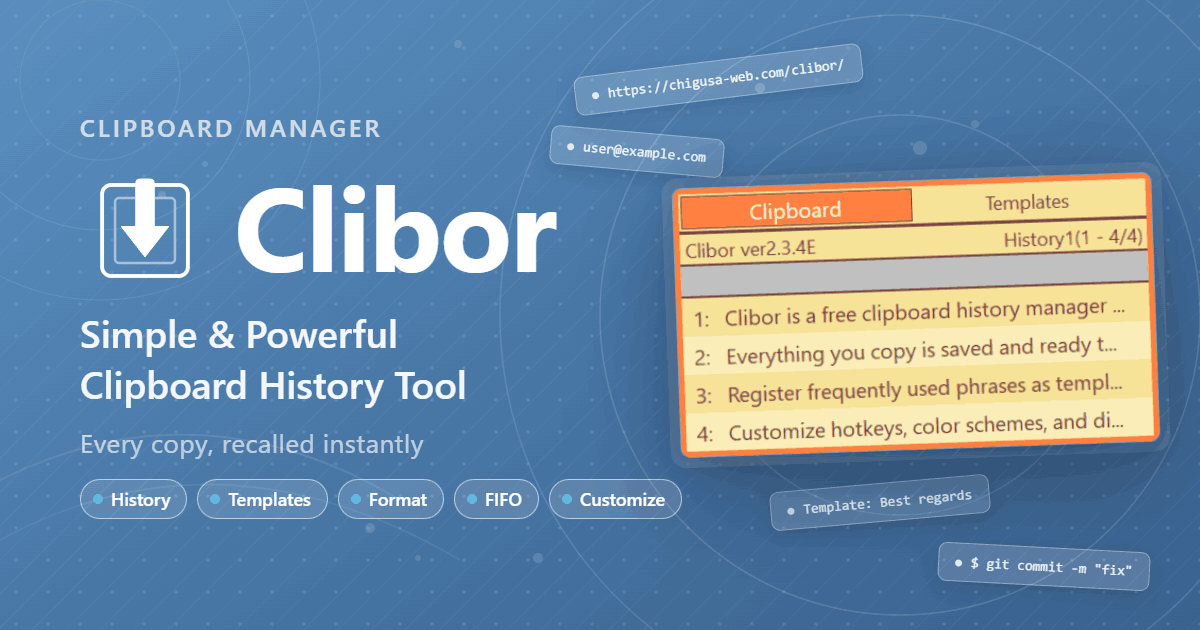
Tap Ctrl twice and Clibor's history pops up. The free Japanese tool stores up to 10,000 items, keeps reusable phrases, pastes a batch in first-in or last-in order and can lock its data behind a password. gHacks noted it drops text formatting, and with hundreds of settings it takes time to learn.
- Platforms
- Windows 10 or 11, plus a Mac version
- Price
- Free
- Free version
- Yes, no paid features
Windows Clipboard History (Win+V)
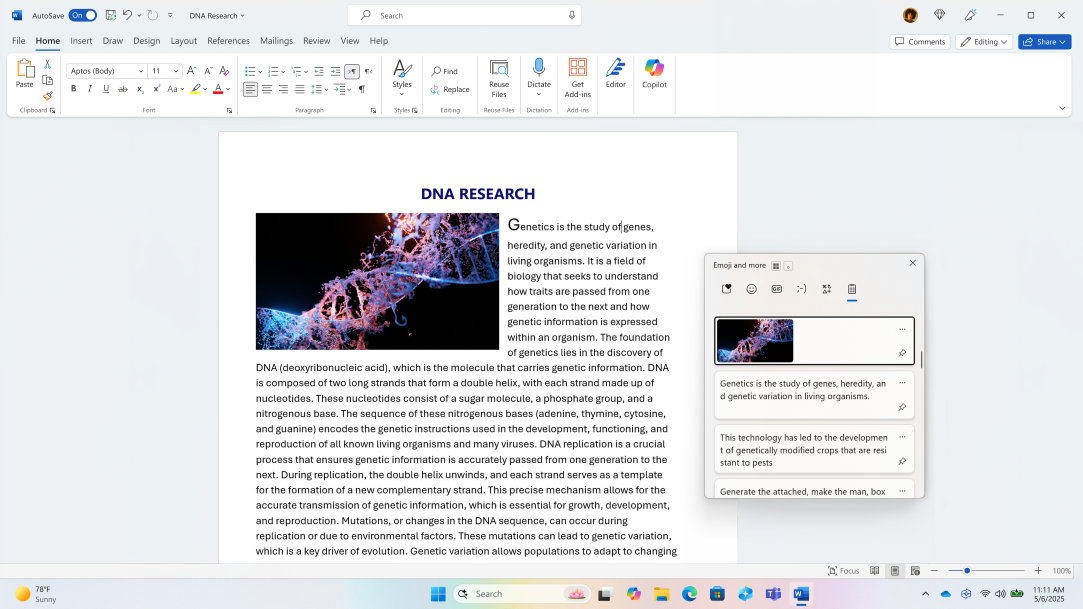
Press Win+V and Windows' own history appears, Zapier's pick for Windows if you only need a few items at a time. You can pin what you reuse and sync text through your Microsoft account. It holds only 25 items of up to 4 MB each, can't search, and clears everything unpinned on restart, which is why XDA calls it enough only for light use.
- Platforms
- Windows 10 and 11
- Price
- Built into Windows
- Sync
- Through your Microsoft account
- Keeps images
- Yes, bitmaps up to 4 MB
Pasta
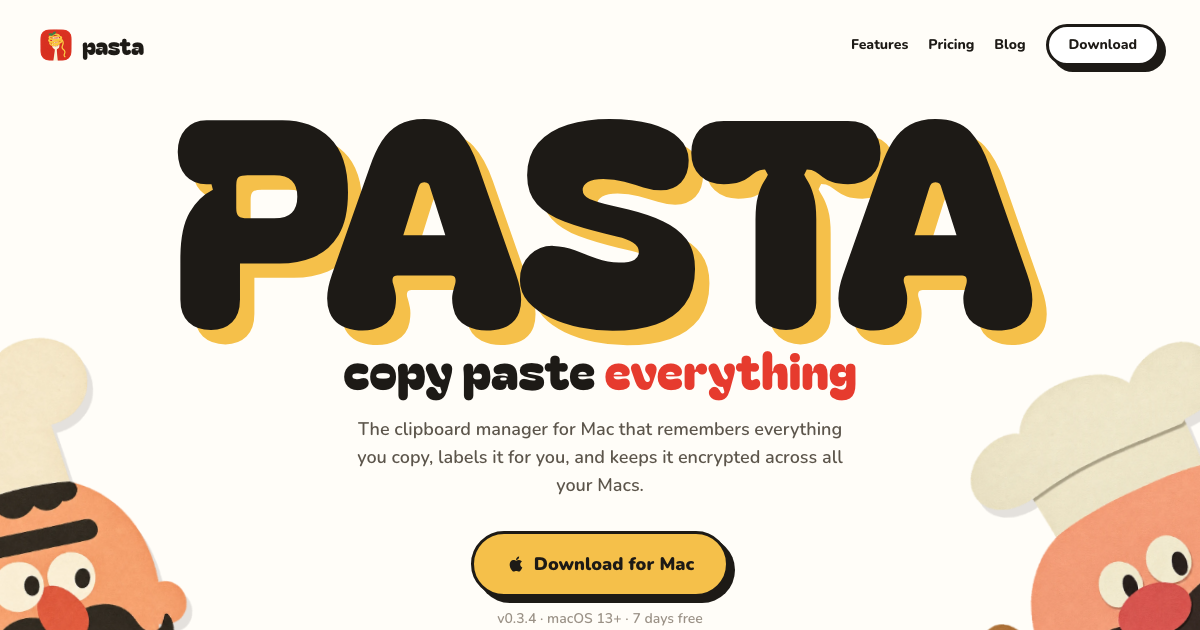
Pasta's draw on Windows 10 and 11 is one history across platforms: sign in on a PC and a Mac, press Ctrl+Shift+V, and the same clips show on both. The catches are that copies go to its servers and an AI model for labeling while you're signed in, sync is encrypted at rest but not end to end, and nobody independent has reviewed it yet.
- Platforms
- Windows 10 and 11 (64-bit), also macOS
- Price
- $5/month
- Free version
- No, 7-day free trial
- Sync
- Encrypted at rest, across PCs and Macs



How to choose
Ordered by test wins and how many independent reviewers recommend each app, then by price, with Windows' own clipboard history included as the baseline. Pasta has no independent reviews yet, so it ranks below the apps that do. Win+V keeps 25 items and forgets them on restart unless you pin them. Ditto fixes both for free and won head-to-head tests at MakeUseOf and XDA. For more, CopyQ adds tabs and scripting, ClipClip adds an editor and OCR, and Pasteboard is the simplest modern-looking choice. Already using Raycast as a launcher? Its clipboard history is free and searchable.
Most picks are free at home but not at work: ClipClip charges $49 for commercial use, ClipboardFusion's free version is for personal use only (Pro starts at $19 per PC), and Clipdiary's business license is $29.99. If you also use a Mac, Raycast and CopyQ run on both. Disclosure: Pasta is made by Automatique, the team behind Listicle; it's rated by the same criteria as everything else.
Prices checked October 5, 2026.
More guides like this
Best Clipboard Managers for Mac (2026)
The best clipboard managers for Mac, from free apps to the history built into macOS Tahoe, ranked on hands-on tests by Zapier, MacStories, Six Colors and others. Ordered by test wins and how many independent reviewers recommend each app, then by price, with Spotlight's built-in history included as the free baseline. Pasta has no independent reviews yet, so it ranks below the apps that do. To choose, try Tahoe's Spotlight history first (Command-Space, then Command-4). If a week of history isn't enough, Maccy is the free step up, Paste is the one to get if your clipboard should follow you to an iPhone, and Pastebot suits people who reshape text as they paste. Already use Raycast, Alfred, LaunchBar or Keyboard Maestro? Try the history it already has before buying anything. Subscription or one payment? Paste costs $29.99 a year, while PastePal ($14.99), ClipBook ($9.99) and CopyClip 2 ($7.99) are one-time buys, and of those three only PastePal syncs with an iPhone. Pastebot sits in between: $39 up front, then $19 for each further year of updates. Disclosure: Pasta is made by Automatique, the team behind Listicle; it's rated by the same criteria as everything else. Prices checked October 5, 2026.
Best Wispr Flow Alternatives (2026)
The best Wispr Flow alternatives: dictation apps that type into any app, for people leaving over price, cloud processing or platforms, picked from tests by 9to5Mac, ZDNet, Zapier and others. Leaving over price? Handy and FluidVoice are free, Chirp is $9.99 a year, VoiceInk is $25 once for a Mac, and Aqua Voice Pro is $8 a month billed yearly against Wispr Flow's $12. For privacy, Superwhisper, Handy, FluidVoice, VoiceInk, Spokenly and Chirp can transcribe without your audio leaving the computer, while Aqua and Typeless are cloud services like Wispr. On Linux, try Handy, Spokenly or Typeless. On Android, Typeless or Superwhisper. Accuracy depends on the model as much as the app: in Voice-list's test, Superwhisper's own models ranged from 1.6% to 22.8% of words wrong, so try another model before giving up on an app. Free tiers differ too. Aqua's is 1,000 words in total, Willow's free plan uses a lighter model, and Superwhisper's never runs out. Ordered by wins in named tests and how many independent reviewers recommend each app, then by how well it fixes the usual reasons for leaving Wispr Flow (price, privacy, platforms), then by price. Disclosure: Chirp is made by the team behind Listicle. We placed it ourselves, as the budget pick, and no independent reviewer has tested it yet. Everything else follows the order above. Prices checked October 5, 2026.
Best AI Task Managers (2026)
The best AI task managers, where the AI does real work from planning your day to running agents on a board, picked from hands-on tests by Wirecutter, PCMag, Zapier and others. Match it to how you work. If you want AI to plan your day, Sunsama walks you through a daily plan, Reclaim fits tasks around your meetings and has a free plan, and Motion plans and reshuffles your whole calendar. If you want a fast list with a little AI, start with Todoist. Teams should try Asana first, ClickUp if they want everything in one app, or Notion if their work already lives in docs. Software teams belong in Linear. On a budget: Todoist Pro and Reclaim Starter together come to about $15 a month billed yearly and put your Todoist tasks on your calendar, less than Motion's $19 alone. Google Gemini schedules tasks into Google Calendar for free. Watch the AI add-ons: ClickUp's Brain AI costs $9 a user on top of the plan, Notion's agents need the $20 Business plan, and Motion, Asana and monday.com meter AI with credits or request limits. Ordered by wins in named hands-on tests, then by how many independent reviewers recommend each app, then by fit for individuals and small teams and by price. Disclosure: Wand is made by Automatique, the team behind Listicle; it's rated by the same criteria as everything else. Prices checked October 5, 2026.